Auto generated help
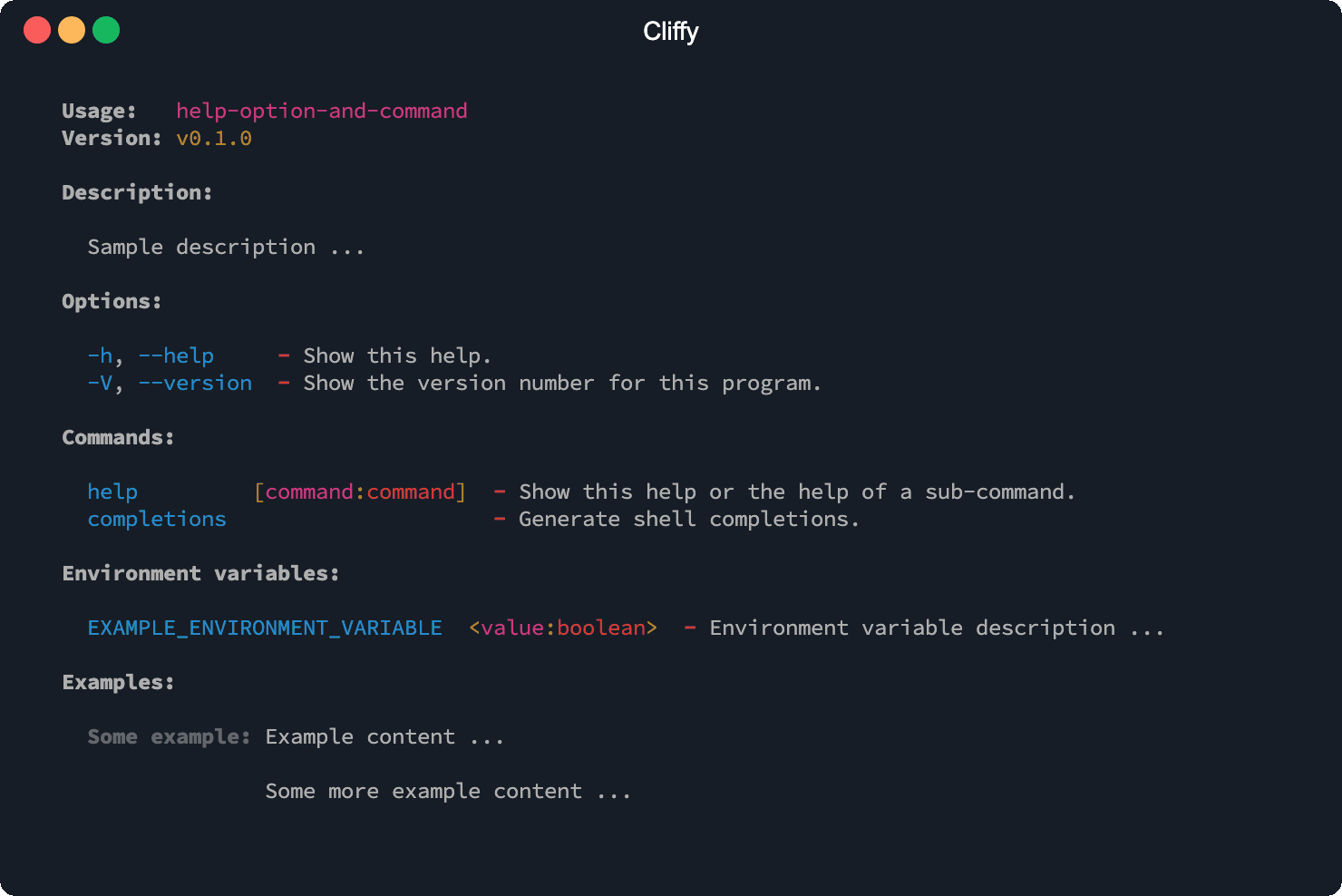
The help information is auto-generated based on the information you have defined on your commands. The name, version, description, meta information, options, commands, environment variables and examples are displayed in the help.
To display the help you can invoke the help option (-h or
--help) or the help command (help) on
the main or on one of the sub commands. The help command needs to be
registered manually.
To retrieve the help text programmatically you can use the .showHelp() and .getHelp() methods.
import { Command } from "@cliffy/command";

await new Command()
  .name("help-option-and-command")
  .version("0.1.0")
  .description("Sample description ...")
  .env(
    "EXAMPLE_ENVIRONMENT_VARIABLE=<value:boolean>",
    "Environment variable description ...",
  )
  .example(
    "Some example",
    "Example content ...\n\nSome more example content ...",
  )
  .parse();
$ deno run https://cliffy.io/examples/v1.0.0/command/help.ts --help
Print help
You can use the .showHelp() method to output the help to stdout manually.
For example, to show the help by default for a command, you can execute the
.showHelp() method within the .action() handler of the specific command.
import { Command } from "@cliffy/command";

const cmd = new Command()
  .name("git")
  .action(() => cmd.showHelp())
  .command("pull", "Pull changes from remote repository.")
  .action(() => console.log("Pulling..."))
  .command("fetch", "Fetch changes from remote repository.")
  .action(() => console.log("Fetching..."));

await cmd.parse();
you can also use this to refer to the current command instance inside the
action handler:
import { Command } from "@cliffy/command";

await new Command()
  .name("git")
  .action(function () {
    this.showHelp();
  })
  .command("pull", "Pull changes from remote repository.")
  .action(() => console.log("Pulling..."))
  .command("fetch", "Fetch changes from remote repository.")
  .action(() => console.log("Fetching..."))
  .parse();
Calling the command without any arguments will print the help by default.
Get help
The .getHelp() method returns the auto generated help as string.
Additional info
You can add some additional information to the help text with the
.meta(name, value) method.
import { Command } from "@cliffy/command";

await new Command()
  .name("example")
  .version("1.0.0")
  .description("Example command.")
  .meta("deno", Deno.version.deno)
  .meta("v8", Deno.version.v8)
  .meta("typescript", Deno.version.typescript)
  .parse();
The additional information is displayed below the command version in the auto generated help.
$ deno run example.ts --help
Usage:   example
Version: 0.1.0

deno: 1.16.1
v8: 9.7.106.2
typescript: 4.4.2

Description:

  Example command.
Customize help
The .help() method can be used to disable or enable types, hints and
colors for the auto generated help.
import { Command } from "@cliffy/command";

await new Command()
  .help({
    // Show argument types.
    types: true, // default: false
    // Show hints.
    hints: true, // default: true
    // Enable/disable colors.
    colors: false, // default: true
  })
  .option("-f, --foo [val:number]", "Some description.", {
    required: true,
    default: 2,
  })
  .parse();
Override help
The .help() method can be also used to override the help output. This
overrides the output of the .getHelp() and .showHelp() methods which are
used by the help option and help command. The help handler will be also used for
all sub command, but can be overridden in each sub command separately.
import { Command } from "@cliffy/command";

await new Command()
  .help("My custom help")
  // Can be also a function.
  .help(() => "My custom help")
  .parse();
Help option
The -h and --help option flag prints the auto generated help to stdout.
The short flag -h prints only the first line of each option and command
description. With the long flag (--help) the full description is printed for
each option and command.
Optionally you can also register the pre-defined help command to display the help.
Customize help option
The help option is completely customizable with the .helpOption() method. It
has the same arguments as the normal .option() method. With the first argument
you specify the flags followed by the description. The third argument can be an
action handler or an options object. The second and third arguments are
optional.
import { Command } from "@cliffy/command";

await new Command()
  .helpOption("-i, --info", "Print help info.", function (this: Command) {
    console.log("some help info ...", this.getHelp());
  })
  .parse();
You can also override the default options of the help option. The options are
the same as for the .option() method.
import { Command } from "@cliffy/command";

await new Command()
  .helpOption(" -x, --xhelp", "Print help info.", { global: true })
  .parse();
To disable the help option you can pass false to the .helpOption() method.
import { Command } from "@cliffy/command";

await new Command()
  .helpOption(false)
  .parse();
Version option
The --version and -V option flag prints the version number defined with the
version() method. The version number will be also display in the auto
generated help. If the long --version option is used, the long format will be
printed including command name and all meta data defined with the
.meta() method.
import { Command } from "@cliffy/command";

await new Command()
  .version("0.1.0")
  .parse();
$ deno run https://cliffy.io/examples/v1.0.0/command/version_options.ts -V
0.0.1

$ deno run https://cliffy.io/examples/v1.0.0/command/version_options.ts --version
0.0.1
Customize version option
The version option is completely customizable with the .versionOption()
method. It has the same arguments as the normal .option() method. With the
first argument you specify the flags followed by the description. The third
argument can be an action handler or an options object. The second and third
arguments are optional.
import { Command } from "@cliffy/command";

await new Command()
  .version("0.1.0")
  .versionOption(
    " -x, --xversion",
    "Print version info.",
    function (this: Command) {
      console.log("Version: %s", this.getVersion());
    },
  )
  .parse();
You can also override the default options of the version option. The options are
the same as for the .option() method.
import { Command } from "@cliffy/command";

await new Command()
  .version("0.1.0")
  .versionOption(" -x, --xversion", "Print version info.", { global: true })
  .parse();
The version option can be also disabled.
import { Command } from "@cliffy/command";

await new Command()
  .versionOption(false)
  .parse();
Add examples
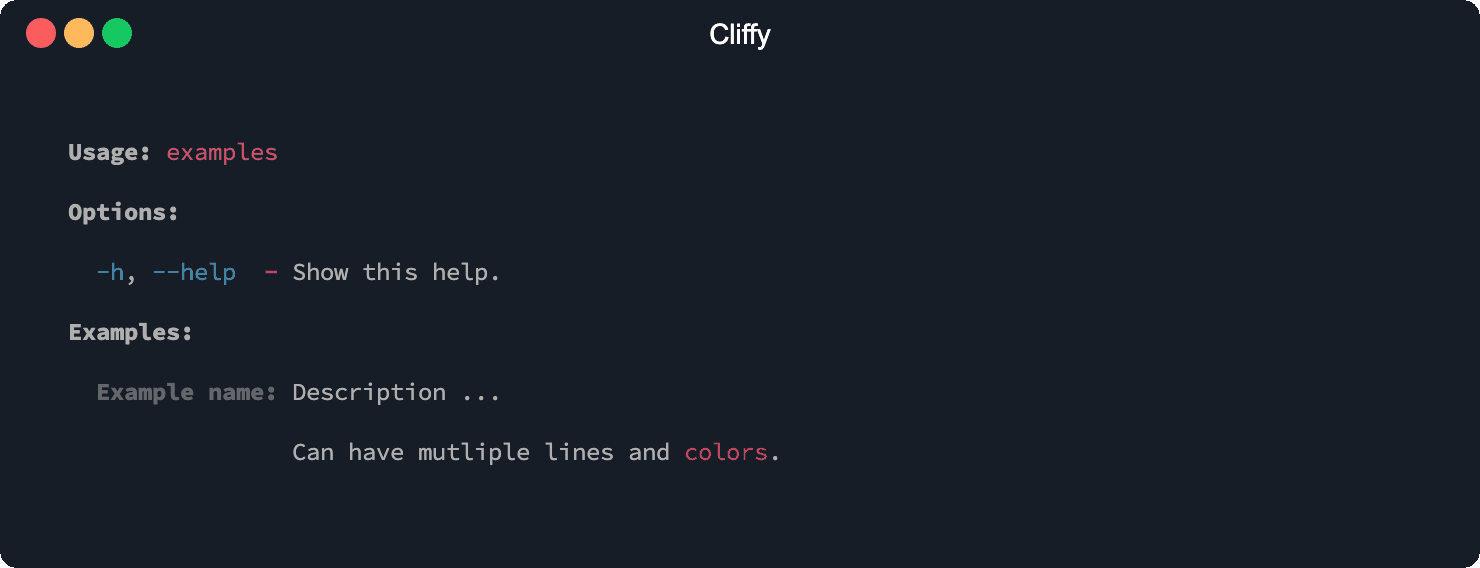
You can add some examples for your command which will be displayed in the auto generated help.
import { red } from "@std/fmt/colors";
import { Command } from "@cliffy/command";

await new Command()
  .name("examples")
  .example(
    "example name",
    `Description ...\n\nCan have multiple lines and ${red("colors")}.`,
  )
  .parse();
$ deno run https://cliffy.io/examples/v1.0.0/command/examples.ts help