
Cliffy 1.3.0: lazy sub commands, @cliffy/upgrade, and env options
 c4spar
We're happy to announce the release of Cliffy 1.3.0. Sub commands can be loaded on demand, the upgrade API moved into its own package with GitLab and URL providers, and an option can declare the environment variable it reads from.
deno add jsr:@cliffy/command@1.3.0
Command
Lazy loading sub commands
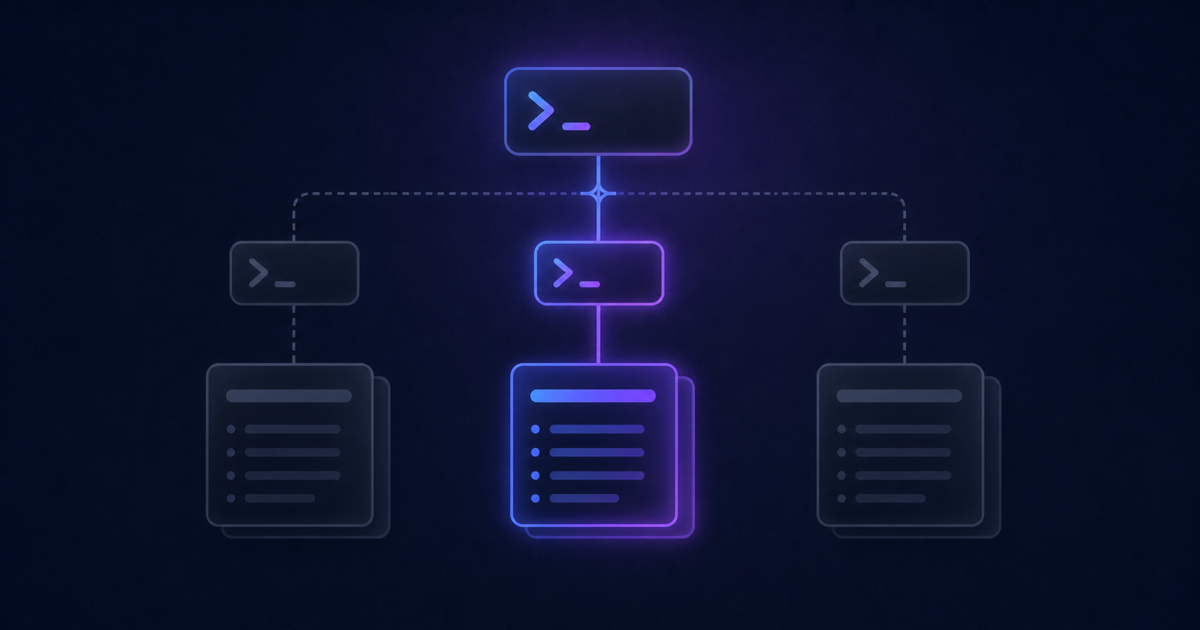
A CLI that registers fifty sub commands pays for all fifty on every run, even when the user asked for one. Pass a function returning a dynamic import instead of a command instance, and the module is only evaluated when that sub command is actually invoked:
import { Command } from "@cliffy/command";

export const cli = new Command()
  .name("example")
  .description("Example command with lazy loading.")
  .command("foo", () => import("./foo_command.ts"))
  .command("bar", () => import("./bar_command.ts"));

if (import.meta.main) {
  await cli.parse();
}
Running example foo loads foo and nothing else. --help is the exception:
it loads every sub command first, because their descriptions live in the modules
it would otherwise skip, so it costs marginally more than declaring them
eagerly.
The function can also return a command instead of a module, which defers building it without moving it into another file:
import { Command } from "@cliffy/command";

await new Command()
  .name("example")
  .command("foo", () => new Command().description("Foo.").action(() => {}))
  .parse();
Both forms save the same thing: work that never happens. Cliffy calls the function only for the sub command you invoked, so the commands on every other branch are never built. How much that saves grows with the size of the tree and with how much each command declares (options, arguments, environment variables). A dynamic import skips all of that plus the module itself, which is what pays off when one command pulls in dependencies the rest never touch.
Many sub commands next to each other are cheap, because they load together. A lazy sub command nested inside another one is not: it can only load after its parent, so with dynamic imports a command three levels down imports one level at a time and the waits stack up. For a small tree, or commands that are cheap to build, declaring them eagerly is still the simpler choice.
The env option
Linking an option to an environment variable meant declaring both and keeping
the two in sync. The option method now takes an env option that declares the
variable with the option, reading into the same property with the precedence
flag > env var > default:
import { Command } from "@cliffy/command";

await new Command()
  .option("--install-root <path:string>", "Install location.", {
    env: { prefix: "DENO_" },
  })
  .action(({ installRoot }) => {
    console.log("installing to %s", installRoot);
  })
  .parse();
env: true derives the name from the option, so --install-root reads
INSTALL_ROOT. A string sets it outright, { prefix } prepends to the derived
name as above, and { type } reads the variable as a different type than the
option itself.
A required option supplied only through the environment no longer throws as missing.
Negatable environment variables
NO_COLOR=true used to arrive as { noColor: true }, which left every CLI to
invert it by hand. The negatable option on an environment variable strips the
NO_ prefix and inverts the value, so it arrives as { color: false }, the
same way --no-color behaves:
import { Command } from "@cliffy/command";

await new Command()
  .env("NO_COLOR=<value:boolean>", "Disable colors.", { negatable: true })
  .action(({ color }) => {
    console.log("colors:", color);
  })
  .parse();
It is opt-in for backwards compatibility. In 2.0 this becomes the default for
boolean NO_* variables and the option goes away.
The presence type
A new presence type treats a variable as a boolean based on whether it is set
at all, rather than on its value. Any non-empty value resolves to true, and an
unset or empty one adds nothing, which is the convention
NO_COLOR follows:
import { Command } from "@cliffy/command";

await new Command()
  .env("NO_CACHE=<value:presence>", "Disable the cache.", { negatable: true })
  .action(({ cache }) => {
    console.log("cache:", cache);
  })
  .parse();
The enabled option
enabled decides whether an option is registered at all, so you can put a flag
behind a feature switch or a platform check without building two different
commands:
import { Command } from "@cliffy/command";

const isWindows = Deno.build.os === "windows";

await new Command()
  .option("-m, --mode <mode:string>", "File mode of the created file.", {
    required: true,
    enabled: !isWindows,
  })
  .action(({ mode }) => console.log("mode: %s", mode))
  .parse();
A disabled option is missing from the help, rejected as an unknown flag, and
absent from the parsed options. The type follows: mode is
string | undefined, even though it is declared as required, since the option
may never have been registered.
Empty values where a value is required
An empty string is no longer accepted where a value is required. It is reported the same way a missing one is:
$ greet --name "" file.txt
error: Missing value for option "--name".

$ greet --name x ""
error: Missing argument: file
Optional options and arguments are unchanged: an empty value is still skipped, so the default applies. Required ones were the inconsistency. An empty string passed the check that a value exists, so a command could run with nothing where it had declared that it needs something. To clear a value from the command line, declare a negatable option.
Color in the help output
The help output used to colorize regardless of where it was going. It now
follows the global color state, so setColorEnabled(false) turns it off, and
NO_COLOR switches it off whatever else is configured, even against an explicit
colors: true.
On top of true and false, the colors help option accepts a new "auto"
value. It adds a check that standard output is a terminal, so a piped or
redirected help stays free of escape codes:
import { Command } from "@cliffy/command";

await new Command()
  .name("deploy")
  .help({ colors: "auto" })
  .parse();
"auto" is opt-in here and becomes the default in 2.0.
Upgrade
The @cliffy/upgrade package
The upgrade API moved out of @cliffy/command into its own @cliffy/upgrade
package. The providers re-exported from @cliffy/command are deprecated, so
import them from the new package instead:
// before
import { JsrProvider } from "@cliffy/command/upgrade/provider/jsr";

// after
import { JsrProvider } from "@cliffy/upgrade/provider/jsr";
Standalone binary self-upgrade
Until now upgrade reinstalled the CLI through a package manager, which a
compiled binary has no way to do. It can now replace the running executable with
a release asset instead, so a standalone build can update itself on a machine
with no runtime installed.
Being standalone is detected, not declared. Binaries built by deno compile, by
bun build --compile, or as Node single executable applications are all
recognised, so the same upgrade command does the right thing whether it runs
from a script or from a binary.
What you do have to declare is the asset to download, because that is what names the file for each build target:
import { Command } from "@cliffy/command";
import { UpgradeCommand } from "@cliffy/command/upgrade";
import { GithubProvider } from "@cliffy/upgrade/provider/github";

await new Command()
  .command(
    "upgrade",
    new UpgradeCommand({
      provider: new GithubProvider({
        repository: "my-user/my-cli",
        asset: ({ os, arch }) => `my-cli-${os}-${arch}`,
      }),
    }),
  )
  .parse();
The resolver receives the CLI name, the resolved version, and a normalised os
and arch, so darwin and x86_64 rather than each runtime's own spelling. An
os-arch to filename map works in place of the function.
Only the GitHub, GitLab and URL providers can do this, and only once an asset is
configured. Without one the upgrade reports that the registry does not support
upgrading a standalone executable. standalone forces the choice when detection
is not what you want, and location installs somewhere other than over the
running executable.
The GitLab provider
CLIs released from a GitLab project can now upgrade from it, the same way the
GitHub provider works: tags and branches for a script install, a release asset
for a standalone binary. host points the provider at a self-hosted instance,
and a token for a private project is read from the token option or the
GITLAB_TOKEN environment variable:
import { GitlabProvider } from "@cliffy/upgrade/provider/gitlab";

const provider = new GitlabProvider({
  repository: "my-group/my-cli",
  host: "https://gitlab.example.com",
});
Apart from the generated source archives, a GitLab release holds no files of its
own, only links to them. The provider looks the asset up by name among those
links, so a build has to be linked on the release under the name that asset
resolves to. Where the file itself lives is up to you, the project's generic
package registry included.
The URL provider
The URL provider upgrades from anywhere you can serve a file, with the URLs and
the version list under your control rather than a registry's. asset points at
a binary, and url at a script entrypoint on Deno:
import { UrlProvider } from "@cliffy/upgrade/provider/url";

const provider = new UrlProvider({
  asset: "https://example.com/my-cli",
  async versions() {
    const res = await fetch("https://example.com/my-cli/versions.json");
    return res.json();
  },
});
versions is what resolves the latest target, so without it an explicit
version has to be requested, and it takes either a list or a function returning
one. asset and url each take a string or a resolver, which is how you build
a URL per build target.
Quality of life improvements
- Short-only options are named after their first short flag.
- Default values of arguments are shown in the help output.
- Help text values are formatted identically on every runtime.
- A standalone option no longer requires the command's arguments, so
--helpand--versionwork on a command that declares required ones. - Upgrade errors the user can act on, an unknown version, a missing release asset, a provider that cannot do the requested kind of upgrade, are reported as validation errors instead of surfacing as internal ones.
- Every surplus argument is reported, not just the first.
- Expected arguments are matched and typed when parsing stops early.
- The GitHub provider returns plain branch names, instead of appending the "(Protected)" marker to the value it reports as a version.
getOsnormaliseswin32towindows.- Bun no longer hangs after reading from stdin, and a top-level
awaitwas removed fromreadSync. - A trailing
ESC [is no longer parsed as shift and left.
Fixed in 1.2.1
Shipped in the patch since 1.2.0: conflicting options only trigger when the conflicting option was explicitly provided, so a default value no longer counts as a conflict.
Acknowledgements
This is the first release announced here rather than only on GitHub. Introducing the Cliffy blog covers what else lives on the blog.
Two of the parser fixes in this release came from
#901 and
#902 by Ian Hickson, which taught
the flags parser to match and type the expected arguments when parsing stops
early, and to report every surplus argument rather than only the first. The
keycode fix for a trailing ESC [ came from
#908 by Rajan Pantha. Thank you
both.
Thank you also to everyone who filed the bug reports and questions that shaped this release.
Contributions are welcome. The contributing guide covers how to get started.